FAQ's
What is a 512 KB image compressor?
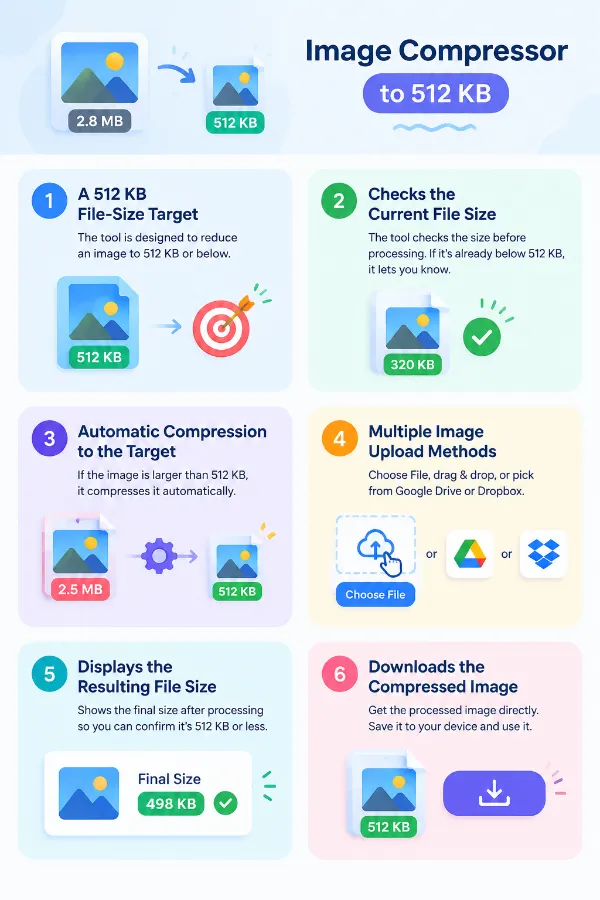
A 512 KB image compressor is an online tool designed to reduce an image's file size to 512 KB or below. It is useful when you have an image that exceeds a specific file-size limit and need a smaller version without manually working out compression settings.
Why would I need an image that is 512 KB or smaller?
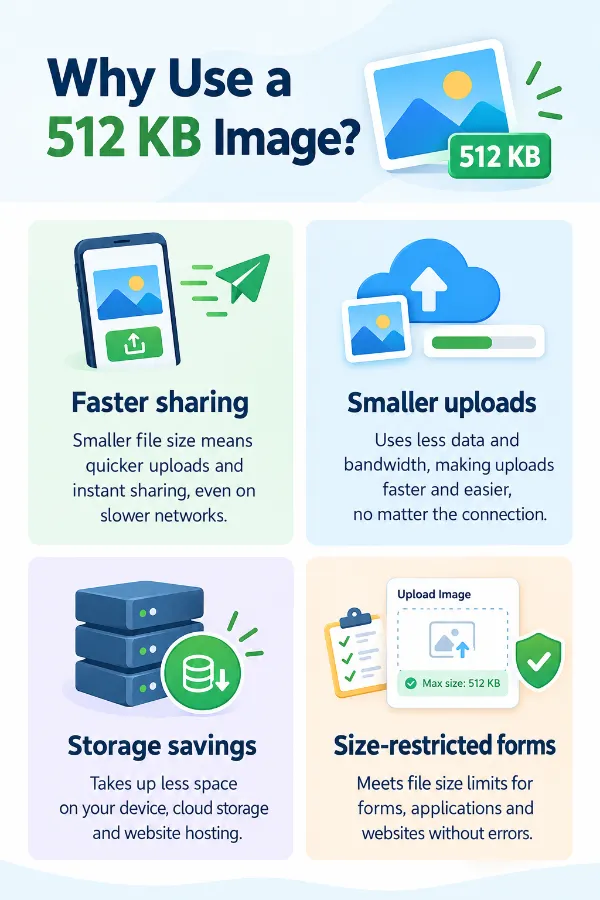
Some websites, forms, applications, and online services set a maximum file size for uploaded images. If the requirement says 512 KB or less, compressing an oversized image can help you meet that particular upload restriction.
Can I compress a 1 MB image to 512 KB?
Yes. A 1 MB image can be uploaded and processed toward the 512 KB or lower. The amount of reduction required depends on the original image and how much data it contains.
What happens if my image is already below 512 KB?
The tool can identify that the image is already within the 512 KB target and provide feedback accordingly. In that situation, there is no reason to reduce the file further just to meet a limit it already satisfies.
Can I compress an image that is only slightly larger than 512 KB?
Yes. You can upload an image that is just above the target, and the tool will process it toward 512 KB or below. A small reduction may be sufficient when the original file is only slightly over the limit.
Can I use this tool when a website says “maximum 512 KB”?
Yes. If a website specifically states that an image must not exceed 512 KB, this tool can be used to prepare an image for that requirement. After compression, check the displayed file size before uploading it to the other website.
Is 512 KB the same as 0.5 MB?
Not exactly under the commonly used 1024-based conversion. 512 KB is approximately 0.5 MB, so a file described as 0.5 MB may be close to the 512 KB range, but different systems can display storage units differently.
Can the tool make the image exactly 512 KB?
The tool is intended to bring the image to 512 KB or lower, rather than guaranteeing an exact 512 KB output. Your resulting file may therefore be 500 KB, 450 KB, or another size below the target.
Do I need to know my image's current file size before uploading it?
No. You can upload the image without first calculating or checking its size manually. The tool can determine whether the image needs to be processed based on the 512 KB target.
Do I need to choose a compression percentage?
No. You don't need to calculate a percentage or decide how much compression is required before uploading the image. The tool is centered around the predefined 512 KB or lower.
Can I compress an image stored in Dropbox?
Yes. You can select the image through the Dropbox upload option provided by the tool. This is useful when the original image is stored in cloud storage rather than directly on your device.
Can I use the 512 KB compressor on a phone?
Yes. The tool can be accessed through a compatible mobile browser, allowing you to select an image stored on your phone. This can be convenient when a photo needs to meet a size restriction before being uploaded from the same device.
What types of images can I compress to 512 KB?
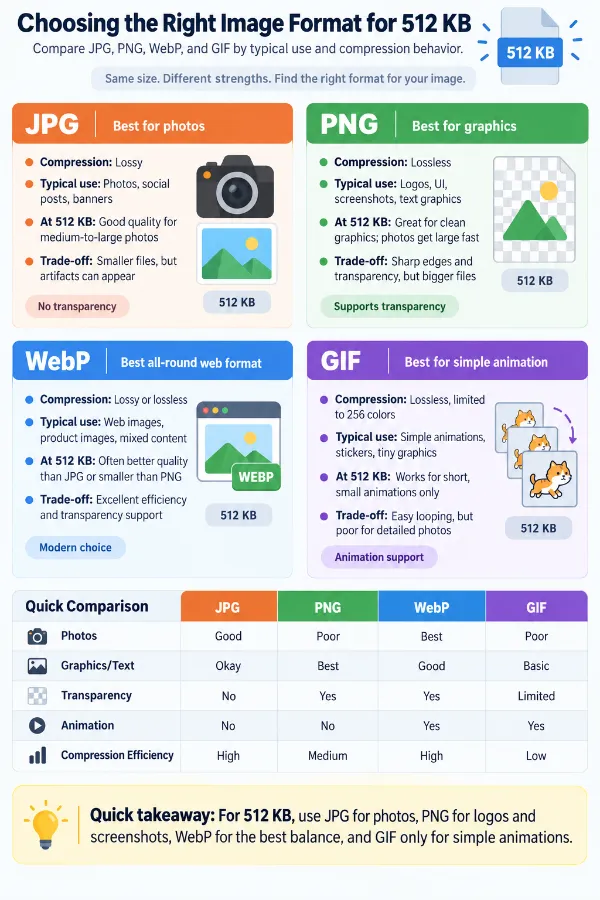
The tool supports commonly used image formats such as JPG, JPEG, PNG, GIF, and WebP. You can upload a supported file and process it toward the 512 KB target without first converting it simply to use the compressor.
Will compressing an image to 512 KB change its dimensions?
Compressing a file to a particular size and resizing its dimensions are two different operations. This tool's purpose is to reduce the file size, so you should not assume that a 512 KB result will have particular width or height dimensions.
Will the image look exactly the same after compression?
Not necessarily. Compression can cause some change in visual quality, particularly when an image needs to be reduced substantially to reach 512 KB. The visible difference depends on factors such as the original file, format, image content, and amount of compression required.
Why does a photo sometimes need more reduction than another photo of the same dimensions?
Pixel dimensions alone do not determine an image's file size. Two photos with identical width and height can have very different file sizes because of differences in image content, format, detail, and the amount of data stored in each file.
What if my image is much larger than 512 KB?
You can still upload it and let the tool process it toward the 512 KB target. A substantially larger file may require a greater reduction than an image that is only slightly above the limit, which can also affect the resulting file characteristics.
Can I keep my original image after compressing it?
Yes. Compression creates a smaller version that you can download separately, so you can keep your original file unchanged. Keeping the original is useful if you later need the higher-resolution or larger version for another purpose.
Can I use the 512 KB image for an online application?
Yes, provided the resulting image meets the application's file-size, format, and dimension requirements. This can be useful for applications that specify a maximum image size for photographs, supporting documents, or other uploads.