Compress Image to 1024 KB

Reduce image file size to 1024 kb or below quickly

add CHOOSE FILE

or drop your file here

Compress Images to 1024 KB or Lower
The tool is designed specifically to bring images down to 1024 KB or less. If the original file is larger than the limit, the compressor works toward the required file size without asking you to calculate compression settings yourself. This is useful when a website or form has a strict 1024 KB upload limit.
Checks Whether Compression Is Needed
If your image is already below 1024 KB, the tool tells you that it is already within the target size. You don't have to compress an image unnecessarily just to meet a limit it already satisfies. This can help avoid repeated processing when preparing files for an upload.
Import Images from Different Locations
You can add an image by clicking Choose File, dragging and dropping it from your device, or selecting it from Google Drive or Dropbox. This gives you several ways to bring an image into the compressor depending on where your file is stored. You don't have to move the image to a specific folder before starting.
Works With Common Image File Types
The compressor supports commonly used image formats such as JPG, JPEG, PNG, GIF, and WebP. This makes it practical for everyday photos, website images, screenshots, and other frequently used files. You can work with supported images without first converting them just to use the compressor.
Compress Images Directly in Your Browser
The tool runs in your web browser, so you can work with your image without installing separate compression software on your computer. You can open the tool, select your file, and perform the compression from the same browser window. This is particularly convenient when you only need to prepare an image for a one-time size restriction.
Simple Size-Limit Workflow
The tool focuses on one clear requirement: getting the image to 1024 KB or below. There are no complicated compression controls that you need to understand before starting. This makes it suitable when you simply know the maximum file size accepted by the website, application, or online form you're using.
how to image

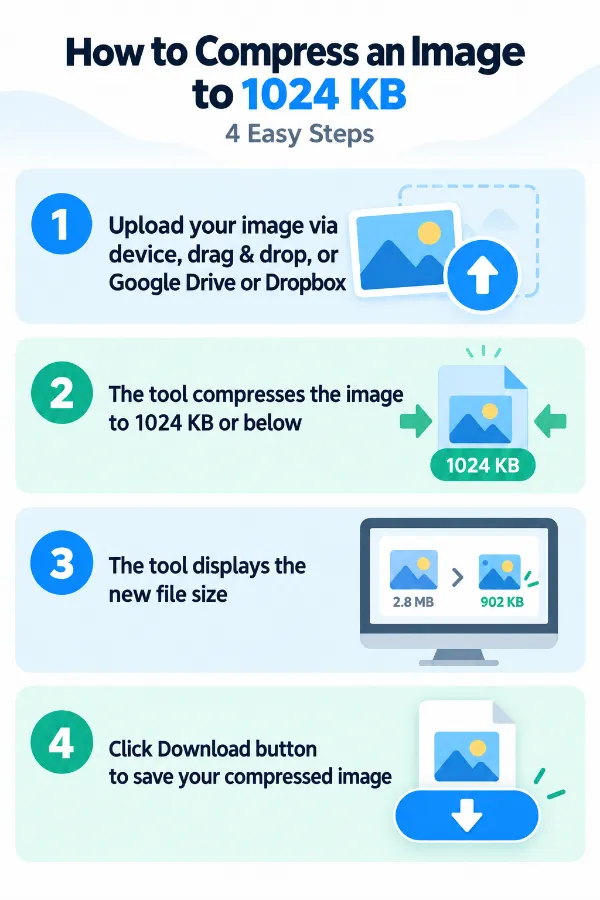
Steps to Compress the Image to 1024 KB

  1. 1.Upload your image using the options.
  2. 2.The tool compresses the image to 1024 KB or below.
  3. 3.The tool displays the new file size.
  4. 4.Click the Download button to save your compressed image.

FAQ's

What does it mean to compress an image to 1024 KB?

It means reducing the image's file size so that the resulting file is 1024 KB or smaller. This can help when a website, form, application, or online service has a maximum file-size requirement.

Can this tool compress an image to exactly 1024 KB?

The tool is designed to bring the image to 1024 KB or lower, rather than guaranteeing an exact 1024 KB result. The final file may therefore be smaller than 1024 KB.

What if my image is already below 1024 KB?

You don't need to reduce its size further. The tool will tell you that the image is already under 1024 KB, so you can continue using the existing file.

Why do I need an image under 1024 KB?

Some websites, applications, forms, and online services set a maximum image upload size. If their limit is 1024 KB, reducing your image to that size or below can allow the file to be accepted.

Where are 1024 KB image limits commonly used?

A 1024 KB limit may be encountered when uploading images to online forms, websites, applications, profiles, document systems, or other services with file-size restrictions. The exact limit depends on the platform receiving the image.

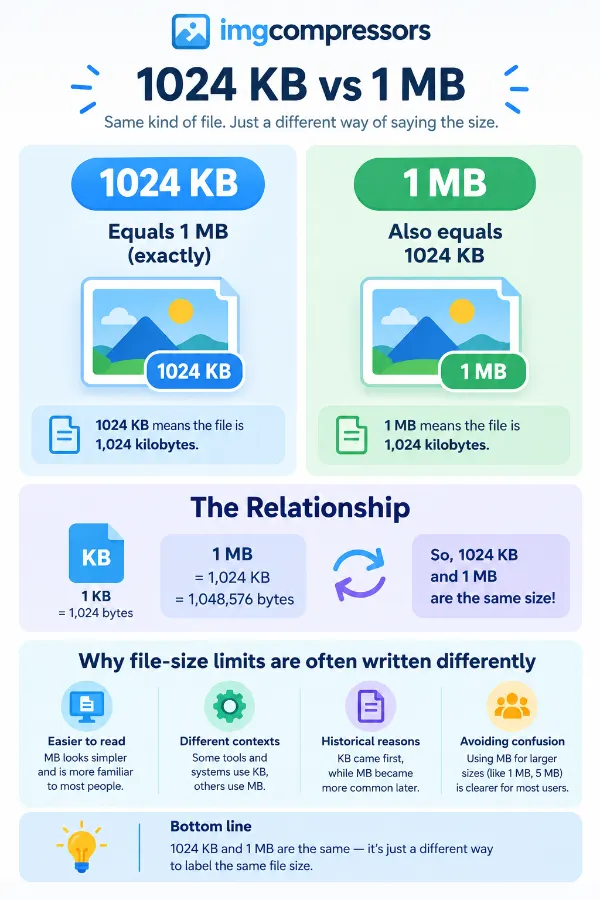
Is 1024 KB the same as 1 MB?

1024 KB is commonly used as an approximate equivalent of 1 MB in file-size limits. However, the way storage units are calculated can vary between systems, so it is best to follow the exact limit shown by the website or application.

Can I compress a JPG to 1024 KB?

Yes. You can upload a JPG image, and the tool will process it toward the 1024 KB-or-lower target. This can be useful when your JPG is rejected because its file size is too large.

What if my image is 1.5 MB?

You can upload it normally. Because it is above the 1024 KB target, the tool will process the image and attempt to bring the resulting file to 1024 KB or below.

Will compressing an image to 1024 KB reduce its quality?

Compression can affect image quality, particularly when a large file needs to be reduced considerably. The visible change depends on factors such as the original image, its format, dimensions, and how much its file size needs to be reduced.

Can I use this tool if I don't know my image's current file size?

Yes. You don't need to calculate the file size before using the tool. Upload the image, and the tool will determine whether it needs to be processed for the 1024 KB target.

Do I have to manually choose a compression level?

No. The tool is built around the 1024 KB-or-lower target, so you don't need to calculate a quality percentage or manually select a compression level.

Can I use the tool when an online form says my image is too large?

Yes, if the form's maximum size is 1024 KB or higher, you can use the tool to reduce an oversized image and then try uploading the resulting file. Always check the form's stated limit before processing.

Can I use a 1024 KB image for a website upload?

Yes, provided the website allows files of that size and the image meets its other requirements. A smaller file can be particularly useful when the website specifies a maximum upload size.

Do I need to download an image from Google Drive before compressing it?

No. If the image is stored in Google Drive, you can use the available Google Drive upload option instead of downloading it to your device first. The same applies to an image stored in Dropbox.

What happens if my image is only slightly larger than 1024 KB?

The tool will process the image toward the 1024 KB-or-lower target. Because the file only needs a relatively small reduction, the amount of compression required may be less than for a much larger image.

Why is my image still larger than 1024 KB after compression?

If the resulting file does not meet a particular website's limit, check the size shown by the tool and the actual requirement of the destination service. Different platforms can also apply their own file-size or format restrictions.

Does compressing an image change its dimensions?

Image compression primarily concerns the file size, while image dimensions refer to its pixel width and height. You should not assume that reducing the file to 1024 KB means the image has been resized to particular dimensions.

Is compressing an image to 1024 KB the same as resizing it?

No. Compression reduces the amount of data stored in the image, while resizing changes its dimensions, such as reducing a 3000 × 2000 image to a smaller pixel size. A file can be compressed without using the same dimensions as a resized image.

Can I use this tool for photos from my phone?

Yes, you can use an image from your device if it is in a supported format. This can be useful when a photo from a phone is too large for a website, form, or application that has a 1024 KB upload limit.

Why would a photo need to be reduced to 1024 KB for an application or form?

Some online applications set strict limits on the size of uploaded photographs or supporting documents. If the instructions specify 1024 KB or less, reducing the image can help you meet that particular requirement without having to search for a different compressor.

Can I compress an image to 1024 KB without installing software?

Yes. The tool is available online through your browser, so you don't need to install separate image-compression software. You can upload the image using the available file, drag-and-drop, Google Drive, or Dropbox options.

What should I do if my image is already under 1024 KB but the website still rejects it?

If the image is already within the file-size limit, the problem may be related to another requirement, such as the accepted file format, image dimensions, or other upload rules. Check the website's instructions rather than compressing the image again unnecessarily.

rating-img
Rate this tool
4.48/5   29 votes

Other useful information

Trusted by 100,000+ Users Every Month for Image Compression.

Fast, high-quality image compression you can rely on.

Review us on